
In South Africa, customers don’t want to fill in a form or wait on hold. They want to send a WhatsApp.
That is great for sales, until the messages pile up. Replies slow down after hours, leads go cold and your team answers the same five questions all day.
WhatsApp automation fixes that. This guide explains what it can do for your business, what Meta now charges per message and what a realistic setup costs.
What Is WhatsApp Automation?
WhatsApp automation is the use of software to send, answer and route WhatsApp messages for your business without a person typing each one. It covers instant replies, chatbots, booking flows, order updates, reminders and marketing messages to customers who have opted in.
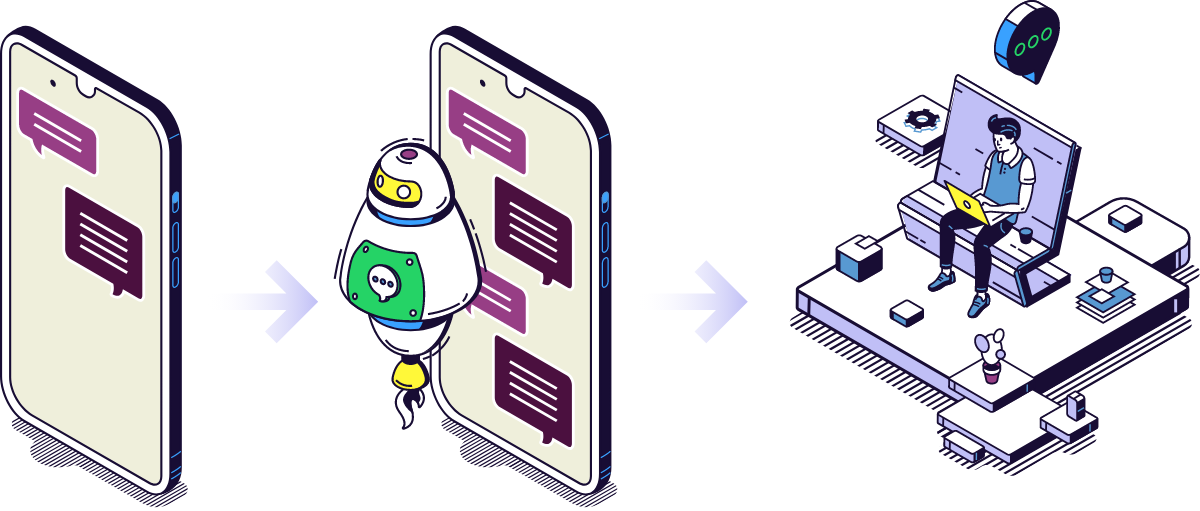
It is not about replacing people. Good automation handles the routine messages instantly and passes the conversations that need a human to the right person on your team.
It matters here because WhatsApp is the default way South Africans communicate. Meltwater and We Are Social’s Digital 2024 report found that 93.9% of active social media users in South Africa use WhatsApp.
WhatsApp Business App vs WhatsApp Business Platform (API)
There are two ways to use WhatsApp for business, and the difference decides what you can automate.
|
|
WhatsApp Business App | WhatsApp Business Platform (API) |
| Best for | Sole traders and small teams | Growing businesses with many chats or a team |
| Cost | Free | Per-message fees from Meta, plus a platform or build cost |
| Automation | Greeting and away messages, quick replies, labels and a catalogue | Chatbots, booking flows, reminders, integrations and bulk messages to opted-in customers |
| Team access | A few linked devices on one number | A shared inbox for your whole team |
| Integrations | None |
CRM, booking systems, online stores, payment links and your own software |
The App is a good start. Once your team is struggling to keep up, or you want WhatsApp connected to your other systems, it is time for the WhatsApp Business API.
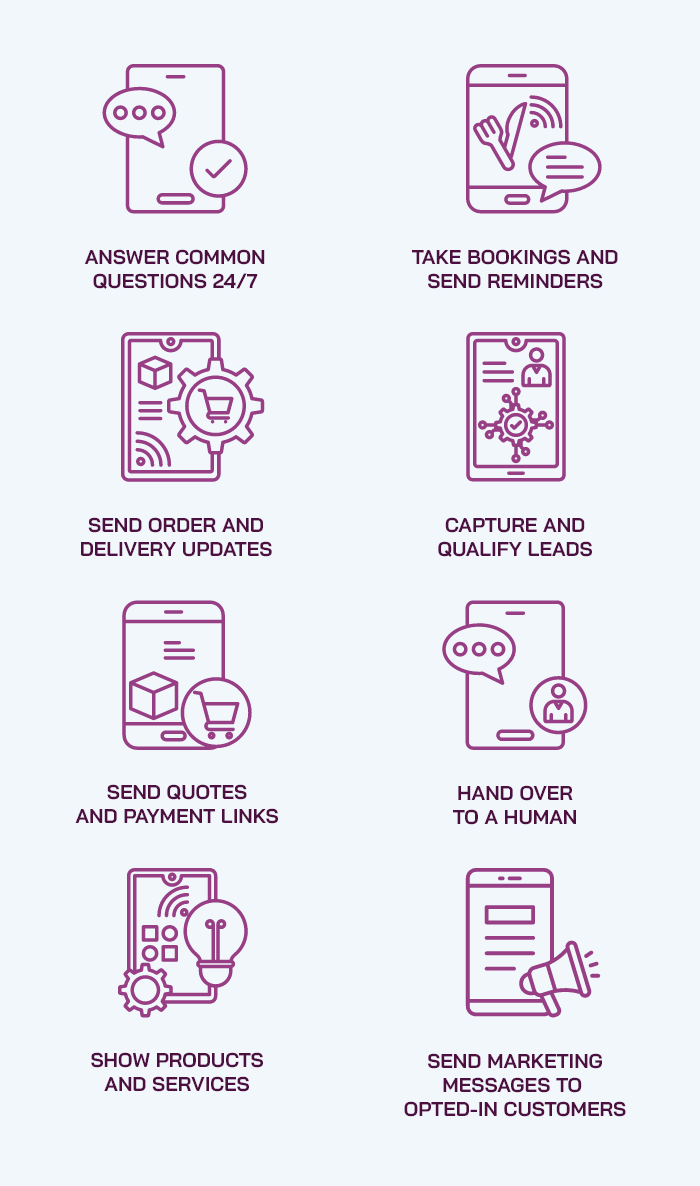
8 Things WhatsApp Automation Can Do for Your Business
Each use below saves time, wins sales or both. Most businesses start with two or three and add more as they see results.
1. Answer Common Questions 24/7
A WhatsApp chatbot answers questions about prices, hours, locations and delivery in seconds, even at 10pm on a Sunday.
Business benefit: Fewer missed leads and less time spent on repeat questions.
2. Take Bookings and Send Reminders
Customers pick a date and time inside WhatsApp, and automatic reminders go out before the appointment.
Business benefit: Fewer no-shows and less phone admin.
3. Send Order and Delivery Updates
Confirmations, payment receipts and “your order is on its way” messages go out automatically from your online store or system.
Business benefit: Fewer “where is my order?” calls.
4. Capture and Qualify Leads
The chatbot asks a few questions, such as budget, location and timeline, then sends hot leads straight to sales.
Business benefit: Your sales team spends time on the right people.
5. Send Quotes and Payment Links
Share a quote, invoice or secure payment link in the chat, where customers are most likely to act on it.
Business benefit: Faster payment and fewer abandoned sales.
6. Hand Over to a Human
When a question is complex or a customer is unhappy, the chat moves to the right team member with the full history.
Business benefit: Customers never feel stuck talking to a bot.
7. Show Products and Services
Customers browse your catalogue, choose options and ask questions without leaving WhatsApp.
Business benefit: A shorter path from interest to purchase.
8. Send Marketing Messages to Opted-In Customers
Promotions, launches and re-engagement offers go to customers who have agreed to hear from you.
Business benefit: Repeat sales from people who already know you.
Want to see which of these would work for you?
How WhatsApp Automation and Click-to-WhatsApp Ads Work Together
Click-to-WhatsApp ads are Facebook and Instagram ads that open a WhatsApp chat with your business instead of a website. For South African audiences, that is often the easiest way to turn a scroll into a conversation.
Automation makes those ads pay off. The moment someone taps the ad, a chatbot can greet them, ask what they need and book a call, even when your team is offline.
There is also a cost benefit. When a customer messages you from a click-to-WhatsApp ad, Meta makes all messages free for 72 hours, including template messages. You pay for the ad, but not for the follow-up messages in that window.
Our social media advertising team runs click-to-WhatsApp ads alongside Facebook, Instagram, LinkedIn and TikTok campaigns, and connects them to your automated replies so no lead is left waiting.
What Does WhatsApp Automation Cost in South Africa?
In South Africa, WhatsApp automation costs are made up of four parts: Meta’s per-message fees, a messaging platform subscription, a once-off setup and an optional monthly management fee. A small business can run a basic setup for a few thousand rand a month, while larger, integrated setups cost more.
1. Meta’s Per-Message Fees
Meta charges per delivered message on the WhatsApp Business API. Rates depend on the message type and the country of the person receiving it. These are Meta’s list prices for South African numbers from 1 October 2026:
|
Message type |
What it is |
Per message (US$) |
Approx. per message (ZAR) |
|
Marketing |
Promotions, offers and re-engagement |
$0.0379 |
about 61c |
|
Utility |
Order updates, reminders and receipts |
$0.0095 |
about 15c |
|
Authentication |
One-time passwords and login codes |
$0.0095 |
about 15c |
|
Service |
Replies to customers inside the 24-hour window |
$0.0095 |
about 15c |
Rand amounts are approximate at R16 to the US dollar. Meta bills in US dollars, so your actual cost moves with the exchange rate.
Messages your customers send you are free. Messages inside a 72-hour window opened by a click-to-WhatsApp ad are free too.

What Changed on 1 October 2026
Until 30 September 2026, replies sent inside the 24-hour customer service window were free. From 1 October 2026, Meta charges for these service messages at the same rate as utility and authentication messages. As MyBroadband reported, this applies to businesses using the WhatsApp Business API, not to the free WhatsApp Business App.
For busy support lines, that changes the maths. Automation that resolves a question in fewer, clearer messages now saves money as well as time.
2. Messaging Platform Fees
Most businesses use a Business Solution Provider (BSP) platform for the shared inbox, chatbot builder and reporting. International platforms typically charge about US$69 to US$349 a month, roughly R1,100 to R5,600, and some add a markup on top of Meta’s message fees.
A custom-built integration can avoid ongoing platform fees, but costs more up front. The right choice depends on your message volumes and how closely WhatsApp must connect to your systems.
3. Setup and Integration
Setup covers your verified business profile, message templates, chatbot flows and any connections to your other systems. Suggested once-off ranges:
| Setup level | What’s included | Once-off cost |
| Starter | WhatsApp Business App set up properly: profile, catalogue, greeting and away messages, quick replies and labels | Ask for a Price |
| Automated | WhatsApp Business API number, verified profile, approved templates, chatbot flows for FAQs and bookings, and a shared team inbox | Ask for a Price |
| Integrated | Everything in Automated, plus custom connections to your CRM, booking system, online store, payments or bespoke software | Ask for a Price |
Integrations are priced like any other software integration. Our app development cost guide shows how integration complexity affects price.
4. Ongoing Management (Optional)
Chatbot flows, templates and reports need regular updates as your offers and questions change. Ongoing management typically costs R2,500 to R10,000 a month (Ask for a Price) , depending on volume and how many campaigns you run.
Example: A Monthly WhatsApp Bill
Here is a simple example for a service business on the WhatsApp Business API:
- 2,000 booking reminders (utility): 2,000 × $0.0095 = $19.00 (about R304)
- 1,000 promotional messages (marketing): 1,000 × $0.0379 = $37.90 (about R606)
- 3,000 replies to customer questions (service): 3,000 × $0.0095 = $28.50 (about R456)
- Meta message fees in total: $85.40, or about R1,366 a month
Add your platform or hosting cost and any management fee, and most small and medium businesses land between a few thousand and around R10,000 a month (Ask for a Price). Compare that with the cost of a missed lead or an extra admin salary.
Want an estimate for your
Message Volumes?

What WhatsApp Automation Can’t (or Shouldn’t) Do
WhatsApp automation is powerful, but Meta’s rules and your customers’ patience set clear limits.
- No general-purpose AI assistants. Since 15 January 2026, Meta’s WhatsApp Business policy bans general-purpose AI chatbots where the AI is the product itself. AI that supports your business, such as answering questions about your services or qualifying leads, is still allowed.
- No messaging people who didn’t opt in. Meta requires opt-in before you send business messages, and POPIA requires consent for direct marketing.
- No free-form messages after 24 hours. Once 24 hours pass since a customer’s last message, you can only contact them with a pre-approved template.
- No replacing people for sensitive issues. Complaints, refunds and complex sales still need a person. Good automation knows when to hand over.
AI can make a WhatsApp chatbot smarter, but it needs the same expert oversight as any AI-built software. Our post on the pitfalls of using AI when developing an app explains why.
POPIA and WhatsApp Marketing: Get Consent Right
Under section 69 of POPIA, direct marketing by electronic communication generally needs the customer’s consent, unless they are an existing customer who bought a similar product and was given the chance to opt out.
In practice, that means:
- Ask for WhatsApp opt-in clearly, for example on your website form or at checkout
- Record when and how each customer opted in
- Make opting out easy, such as replying “STOP”
- Store customer data securely and only for as long as you need it
Getting this right protects your business, and it protects your WhatsApp number. Meta can limit or block numbers that receive too many spam reports.
How to Get Started With WhatsApp Automation
Map Your Most Common Conversations
List the ten questions and requests your team answers most. These are your first automation wins.
Choose the App or the API
Stay on the free App if you are a small team with modest volumes. Move to the API once you need a team inbox, chatbots or integrations.
Design the Flows and Templates
Write short, clear chatbot flows with an easy route to a human. Submit message templates to Meta for approval.
Connect Your Systems
Link WhatsApp to your booking system, CRM or online store so updates send automatically.
Launch, Measure and Improve
Track response times, bookings and sales from WhatsApp. Adjust the flows every month based on real conversations.
Work With a WhatsApp Automation Partner That Builds and Advertises
Most WhatsApp projects need two skills: software that connects WhatsApp to your business, and advertising that brings in the conversations. THE FORMULA LAB does both under one roof.
Our business process automation and bespoke software development teams build the chatbot flows and integrations. Our online advertising team runs the click-to-WhatsApp ads that fill your inbox. If WhatsApp needs to connect to an app, our mobile app developers in Cape Town handle that too.
Explore Our
WhatsApp Is Where Your Customers Already Are
Your customers are already on WhatsApp. The businesses that win there are the ones that reply fast, help clearly and follow up consistently. Done well, WhatsApp automation gives you:
- Instant replies, day and night
- More bookings and fewer no-shows
- Qualified leads sent straight to sales
- A predictable, per-message cost
- More return on your click-to-WhatsApp ads
Start small, measure the results and build from there.
Ready to automate your WhatsApp?
Frequently Asked Questions About WhatsApp Automation
What is WhatsApp automation?
WhatsApp automation is the use of software to send, answer and route WhatsApp messages for a business without a person typing each one. It includes chatbots, booking flows, order updates, reminders and marketing messages to customers who have opted in.
How much does the WhatsApp Business API cost in South Africa?
From 1 October 2026, Meta charges about US$0.0379 (around 61c) per marketing message and about US$0.0095 (around 15c) per utility, authentication or service message sent to South African numbers. Platform, setup and management fees are extra.
Are WhatsApp replies to customers still free?
On the WhatsApp Business API, replies inside the 24-hour customer service window became chargeable on 1 October 2026, at the same rate as utility messages. Messages sent within 72 hours of a customer clicking a click-to-WhatsApp ad remain free. The free WhatsApp Business App is not affected.
What is the difference between the WhatsApp Business App and the API?
The WhatsApp Business App is free and suits small teams, with basic automated greetings and quick replies. The WhatsApp Business API (Business Platform) supports chatbots, a shared team inbox, integrations and bulk messages to opted-in customers, with per-message fees.
Can I use ChatGPT or another AI chatbot on WhatsApp for my business?
You can use AI to support your business, for example to answer questions about your services or qualify leads. Since 15 January 2026, Meta does not allow general-purpose AI assistants, where the AI itself is the product, on the WhatsApp Business API.
Is WhatsApp marketing allowed under POPIA?
Yes, with consent. POPIA generally requires consent before sending direct marketing by electronic communication, except to existing customers who bought a similar product and were given a chance to opt out. Meta also requires opt-in before businesses send messages.
How do click-to-WhatsApp ads work?
Click-to-WhatsApp ads are Facebook or Instagram ads that open a WhatsApp chat with your business when tapped. You pay for the ad, and Meta makes messages in the following 72-hour window free. Automation can reply instantly to every new lead.
How long does it take to set up WhatsApp automation?
A WhatsApp Business App setup can be done in a few days. A WhatsApp Business API setup with chatbot flows usually takes a few weeks, including Meta’s business verification and template approval. Custom integrations take longer, depending on the systems involved.
Will WhatsApp automation replace my customer service team?
No. Automation handles routine questions, reminders and updates so your team can focus on sales, complaints and complex requests. The best setups hand conversations to a person whenever a customer needs one.